Configure RDP Preferences in the Micro Thin Client

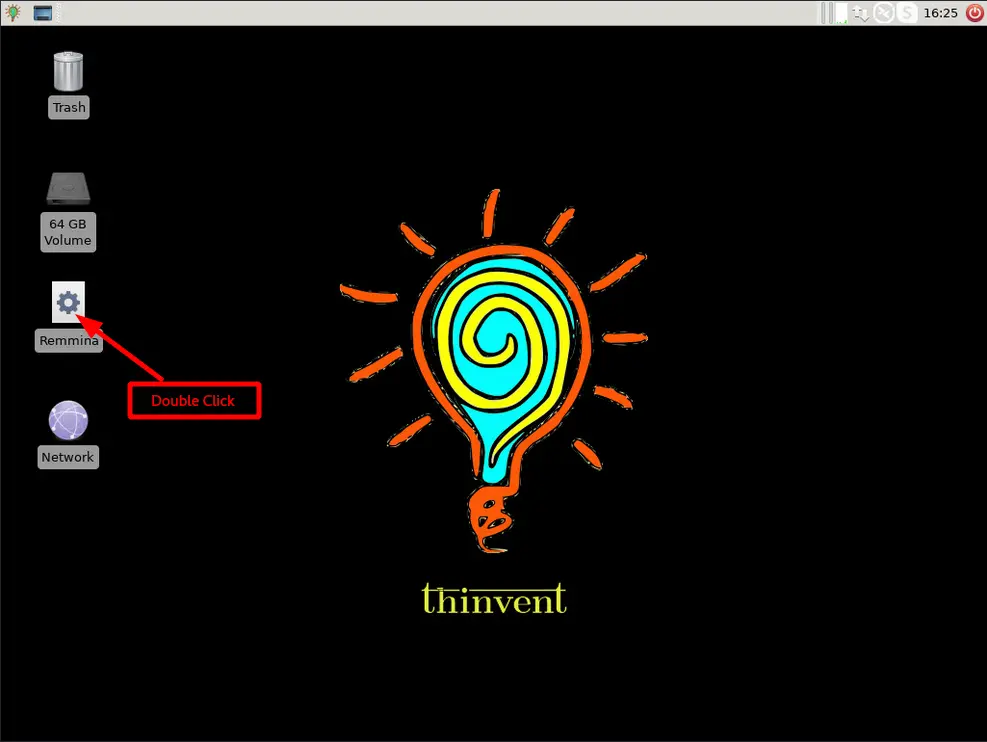
  1. Open the Remmina application by double-clicking its icon on the device’s desktop.
![Image](/s/image/configure-rdp-preferences-in-micro-thin-client/configure-rdp-preferences-in-micro-4-thin-client-1.webp)

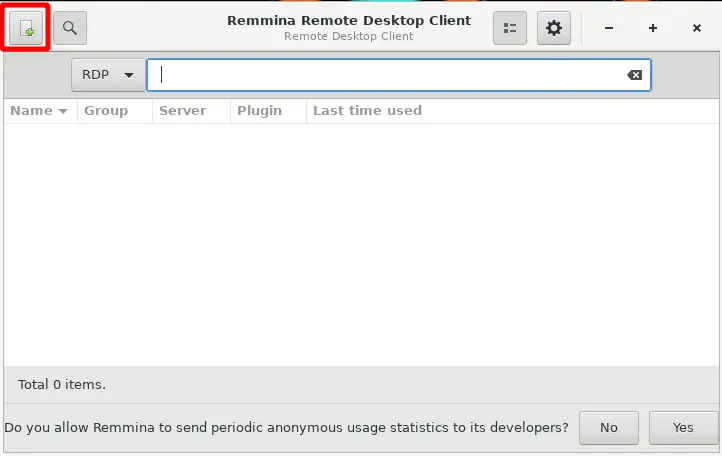
Click the plus icon in the top-right corner.
A new window opens.
![Image](/s/image/configure-rdp-preferences-in-micro-thin-client/configure-rdp-preferences-in-micro-4-thin-client-2.webp)
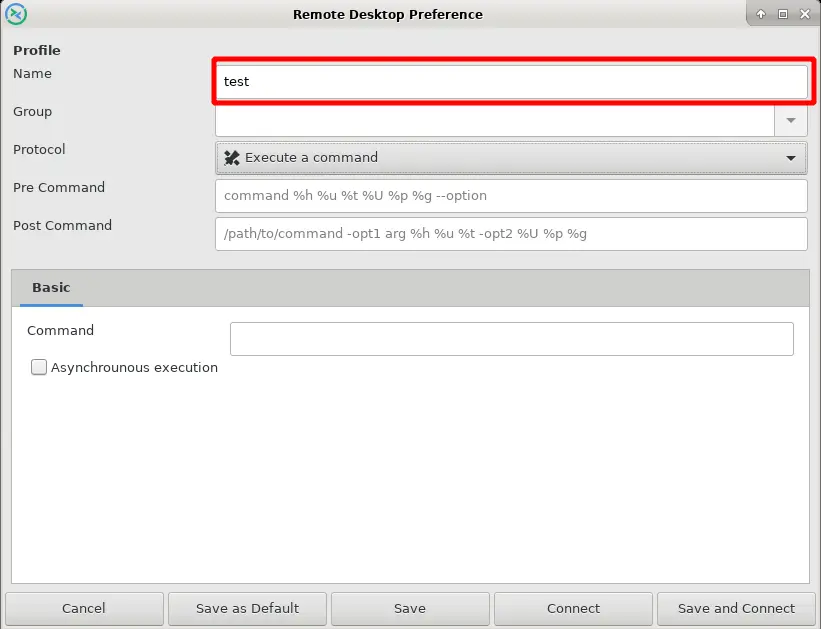
  1. In the Name field, enter any name.
![Image](/s/image/configure-rdp-preferences-in-micro-thin-client/configure-rdp-preferences-in-micro-4-thin-client-3.webp)
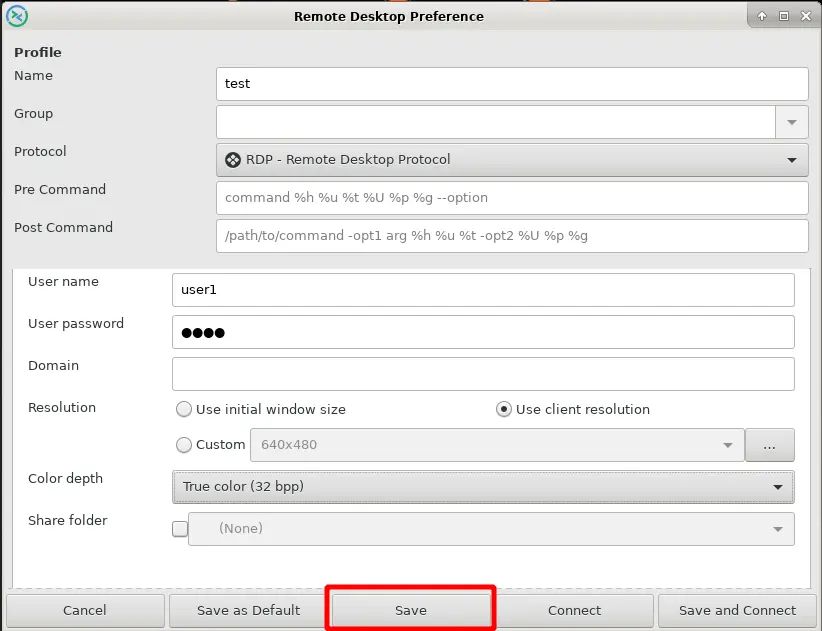
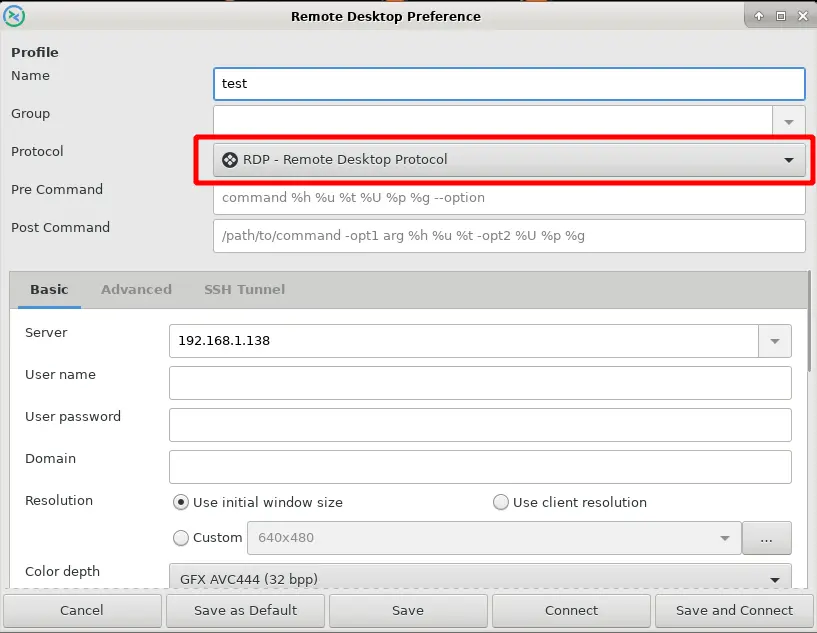
  1. In the Protocol field, choose RDP-Remote Desktop Protocol.
![Image](/s/image/configure-rdp-preferences-in-micro-thin-client/configure-rdp-preferences-in-micro-4-thin-client-4.webp)
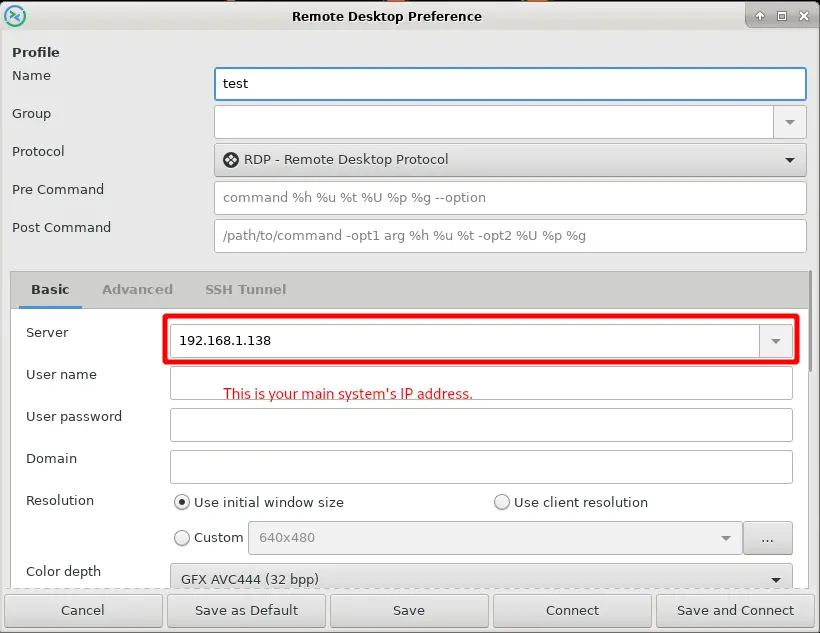
  1. In the Server field, enter the IP address of your RDP server.
![Image](/s/image/configure-rdp-preferences-in-micro-thin-client/configure-rdp-preferences-in-micro-4-thin-client-5.webp)
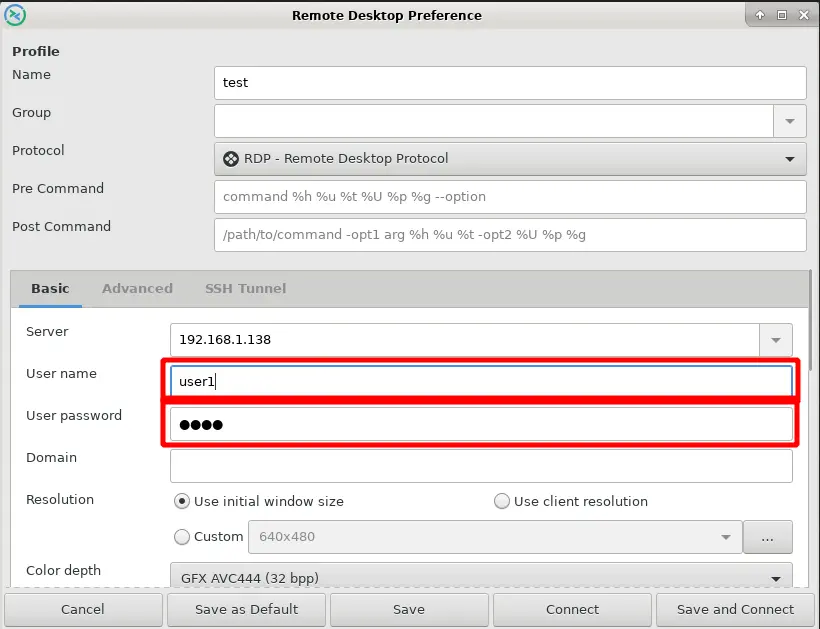
  1. In the User name field, enter a username created on your RDP server.

![Image](/s/image/configure-rdp-preferences-in-micro-thin-client/configure-rdp-preferences-in-micro-4-thin-client-5.webp)

In the User password field, enter the password of that user account.
![Image](/s/image/configure-rdp-preferences-in-micro-thin-client/configure-rdp-preferences-in-micro-4-thin-client-6.webp)
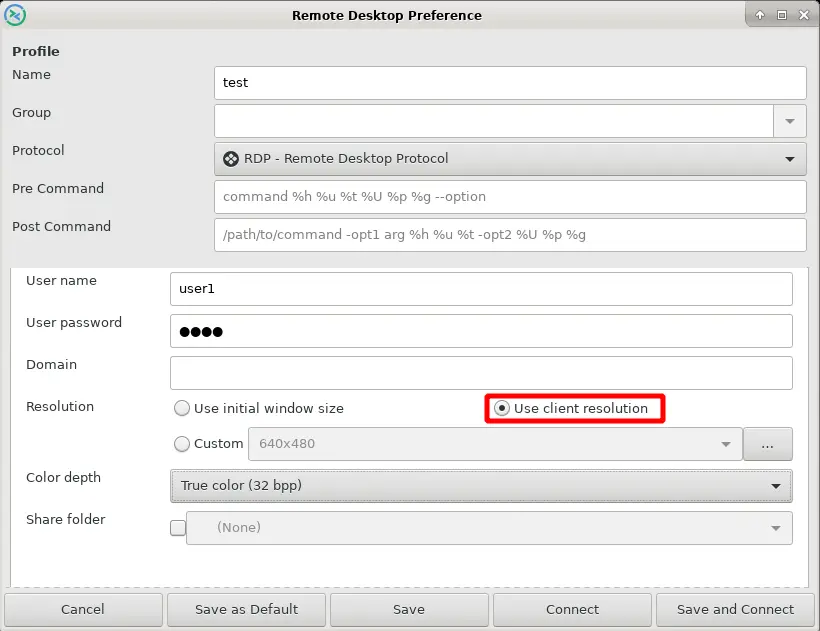
  1. In the Resolution field, choose Use client resolution.
![Image](/s/image/configure-rdp-preferences-in-micro-thin-client/configure-rdp-preferences-in-micro-4-thin-client-7.webp)
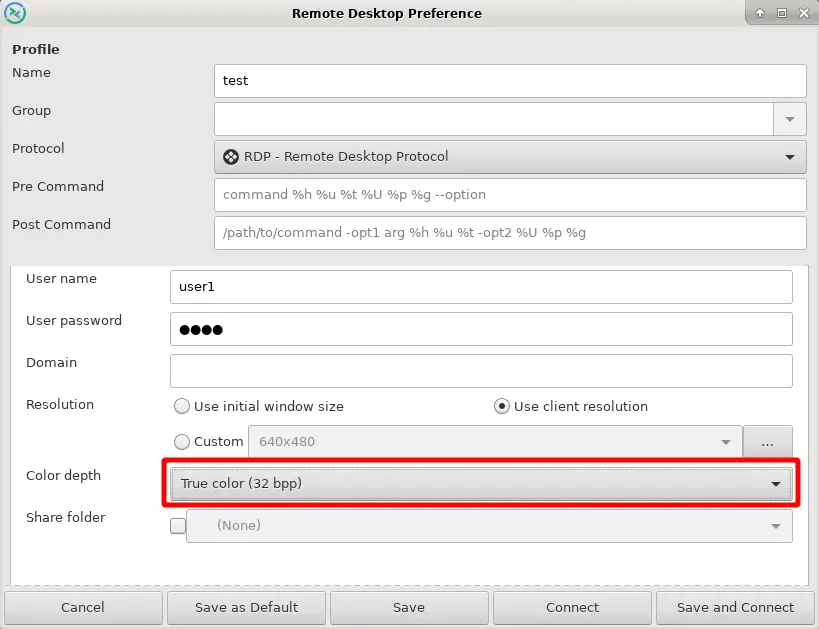
  1. In the Color depth field, choose True color (32 bpp).
![Image](/s/image/configure-rdp-preferences-in-micro-thin-client/configure-rdp-preferences-in-micro-4-thin-client-8.webp)
  1. Save these settings.
![Image](/s/image/configure-rdp-preferences-in-micro-thin-client/configure-rdp-preferences-in-micro-4-thin-client-9.webp)
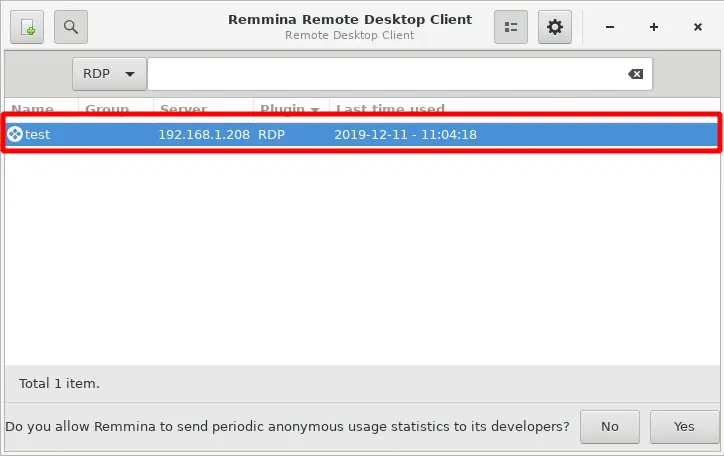
  1. Double-click the name that you entered in the Name field.
![Image](/s/image/configure-rdp-preferences-in-micro-thin-client/configure-rdp-preferences-in-micro-4-thin-client-10.webp)
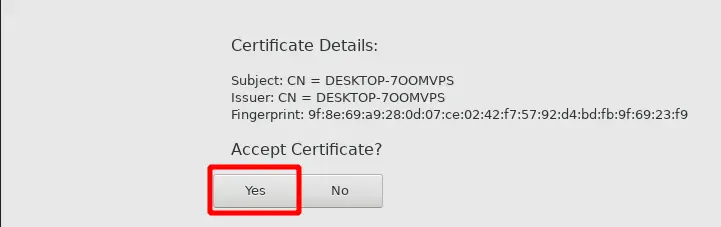
  1. The Accept Certificate window opens. Click Yes.

![Image](/s/image/configure-rdp-preferences-in-micro-thin-client/configure-rdp-preferences-in-micro-4-thin-client-11.webp)