
Industrial PC Testing and Ageing Process
Why Every IPC Order Takes Minimum One Week
At Thinvent, we are manufacturers, not traders. We build every industrial PC to order, according to customer requirements. We do not stock finished devices; we build each unit specifically for your order. With this approach and our rigorous quality assurance process, every IPC order requires a minimum processing time of one week.
The one week is just the testing time. Assembly time and shipment are separate and additional.
The Three-Stage Quality Process
Every industrial PC undergoes three critical quality checkpoints:
- Pre-Ageing QC - Initial quality control after assembly
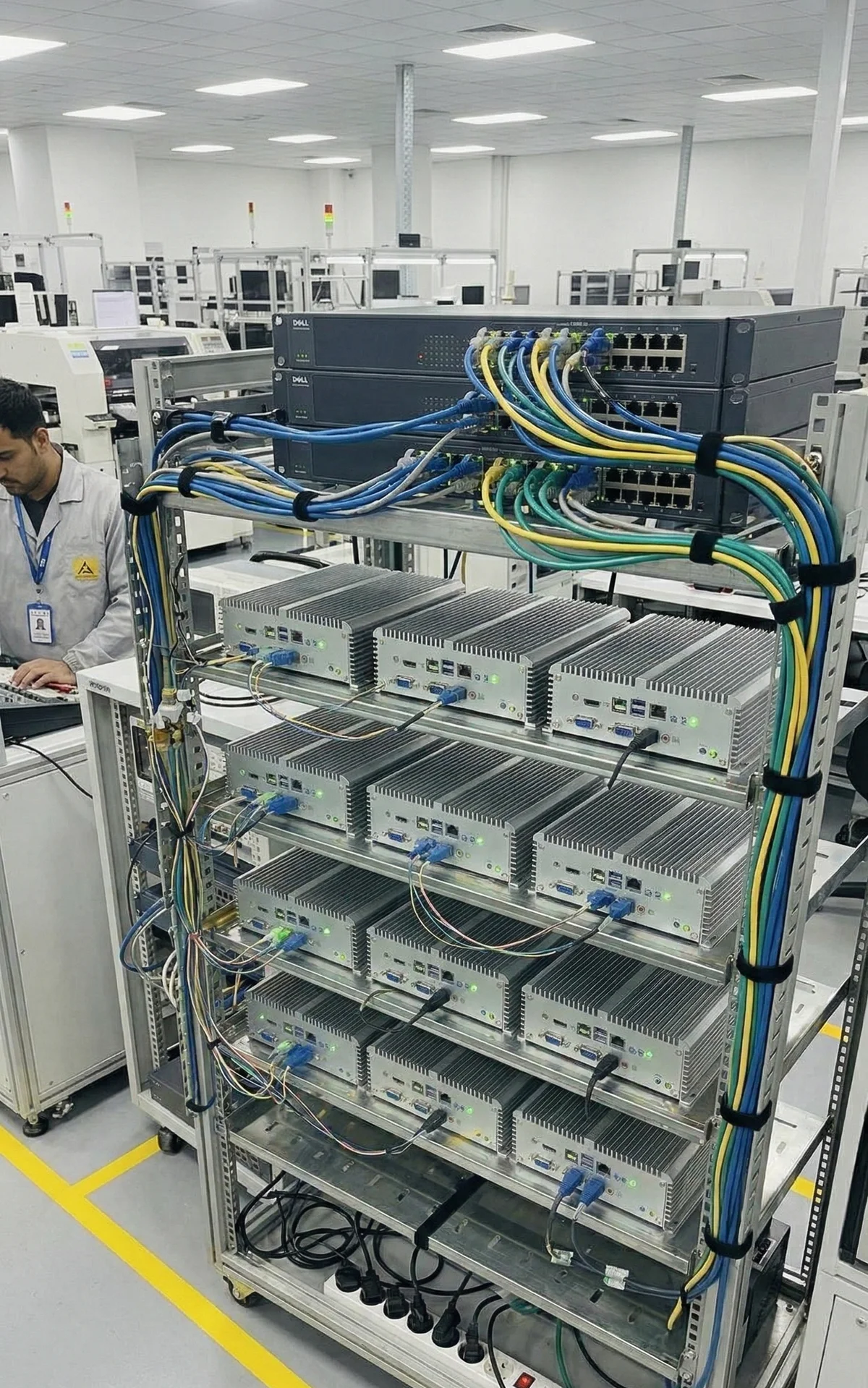
- 72-Hour Ageing Test - Burn-in testing at elevated temperature (50°C)
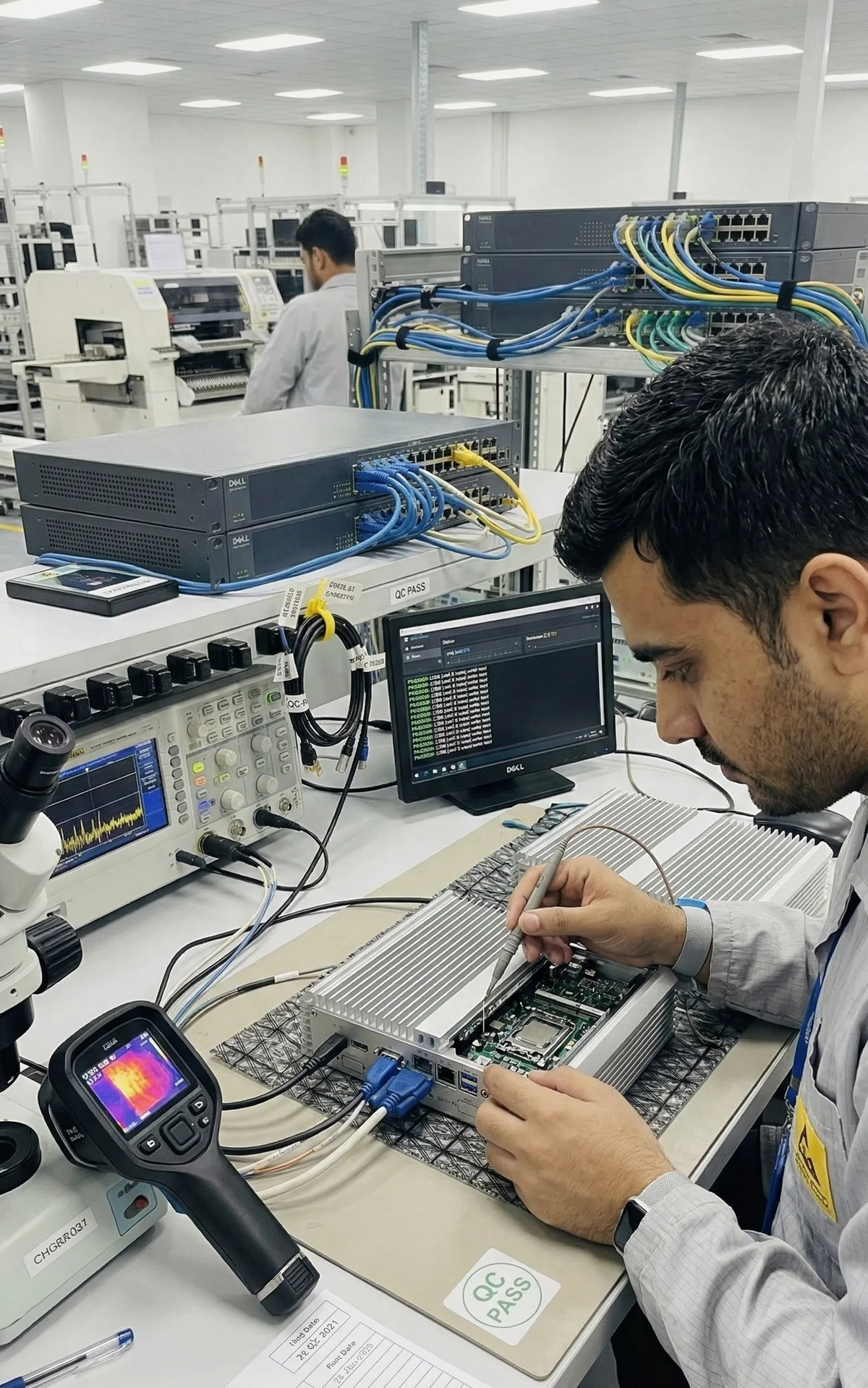
- Post-Ageing QC - Final quality verification before shipment
This testing ensures that only reliable, production-ready devices reach our customers.
Understanding Ageing: The Science of Reliability
The Bathtub Curve of Electronics Failure
Electronic components follow a well-documented failure pattern known as the "bathtub curve":
Three Phases of Component Life:
- Infant Mortality (0-100 hours) - High failure rate due to manufacturing defects, weak solder joints, marginal components
- Useful Life (100 hours - several years) - Low, constant failure rate - the reliable operational period
- Wear-Out (end of life) - Increasing failures due to component degradation
Ageing exposes infant mortality failures before the device reaches the customer.
Why 50°C Temperature?
Operating temperature strongly affects component reliability. The Arrhenius equation shows that for every 10°C increase in temperature, chemical reaction rates approximately double. This principle applies to:
-
Electrolytic capacitor degradation
-
Solder joint stress
-
Semiconductor junction degradation
-
PCB material expansion/contraction
Testing at 50°C accelerates the ageing process:
-
72 hours at 50°C ≈ 300+ hours at 25°C
-
Weak components fail quickly under thermal stress
-
Components that pass have demonstrated their reliability
Full Load Testing
During ageing, devices run continuously at 100% CPU utilization. Full load produces:
-
Maximum power consumption and heat generation
-
Stress on voltage regulators and power delivery
-
Thermal cycling of all components
-
Verification of cooling system adequacy
Our Ageing Infrastructure
Real-Time Monitoring System
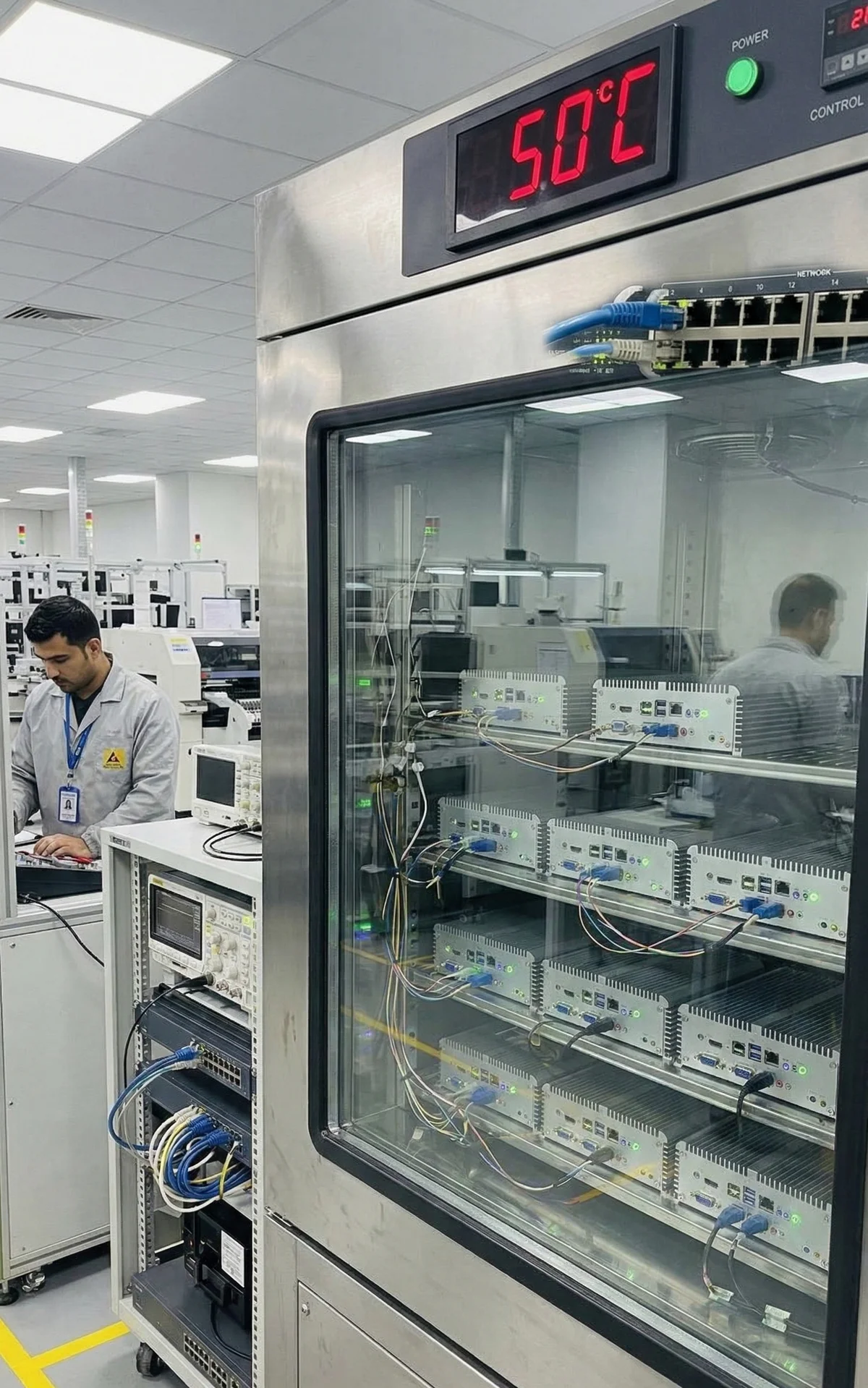
We monitor every device under ageing in real time through our custom RMM (Remote Monitoring & Management) system:
Metrics Collected Every 5 Minutes:
-
CPU temperature (all cores)
-
Motherboard sensor temperatures
-
CPU frequency scaling
-
System uptime
-
Power consumption
-
Network connectivity
Temperature Graphs
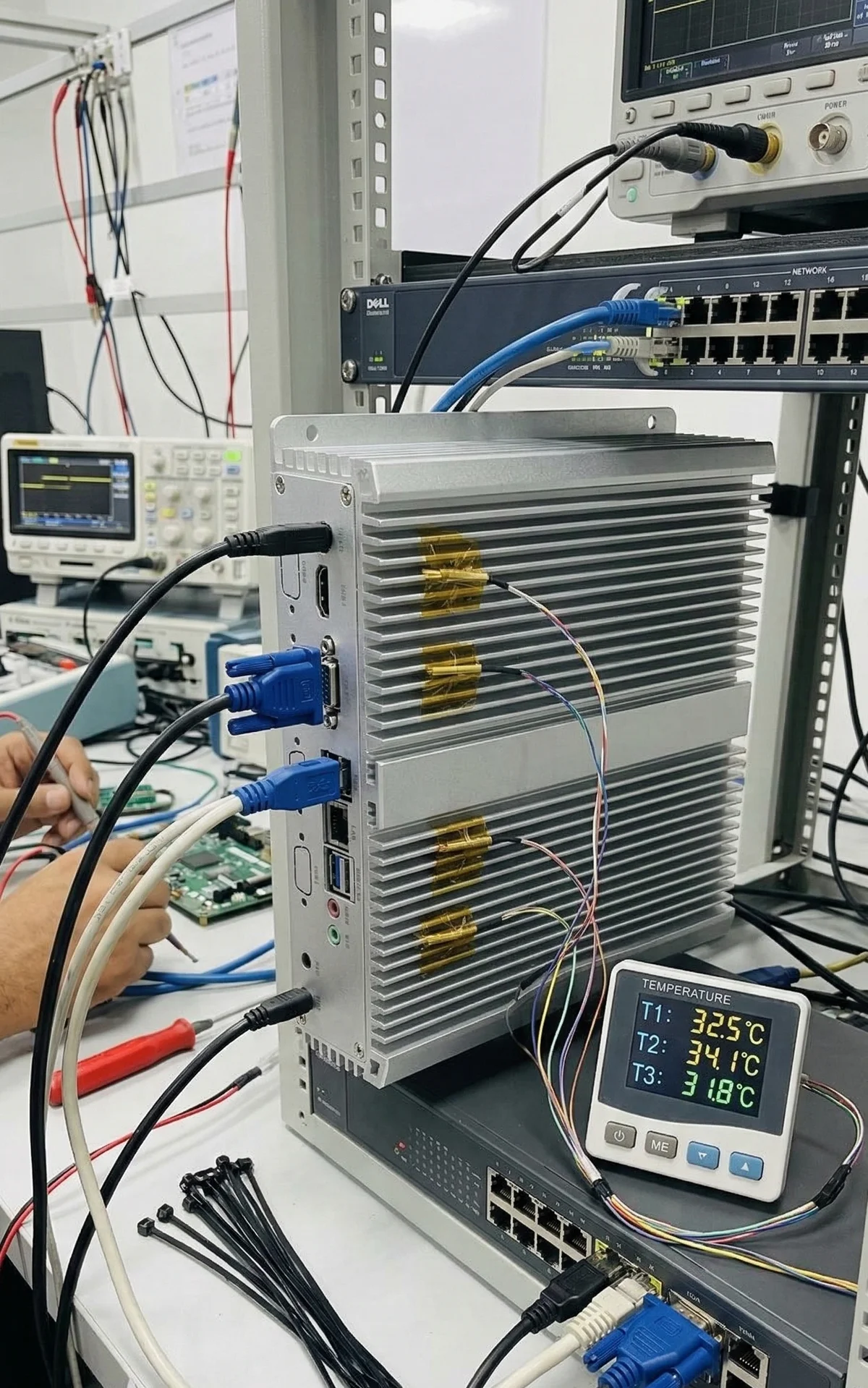
Below is an example of temperature monitoring during a 72-hour ageing cycle:
Key Observations:
-
CPU cores maintain 55-60°C under full load
-
Motherboard sensors show stable 40-45°C
-
No thermal throttling or instability
-
Consistent performance over 72 hours
CPU Frequency Monitoring
We also track CPU frequency scaling to detect thermal throttling:
The Ageing Dashboard
Our internal manufacturing team monitors all devices through a live dashboard at /mfg/ageing:
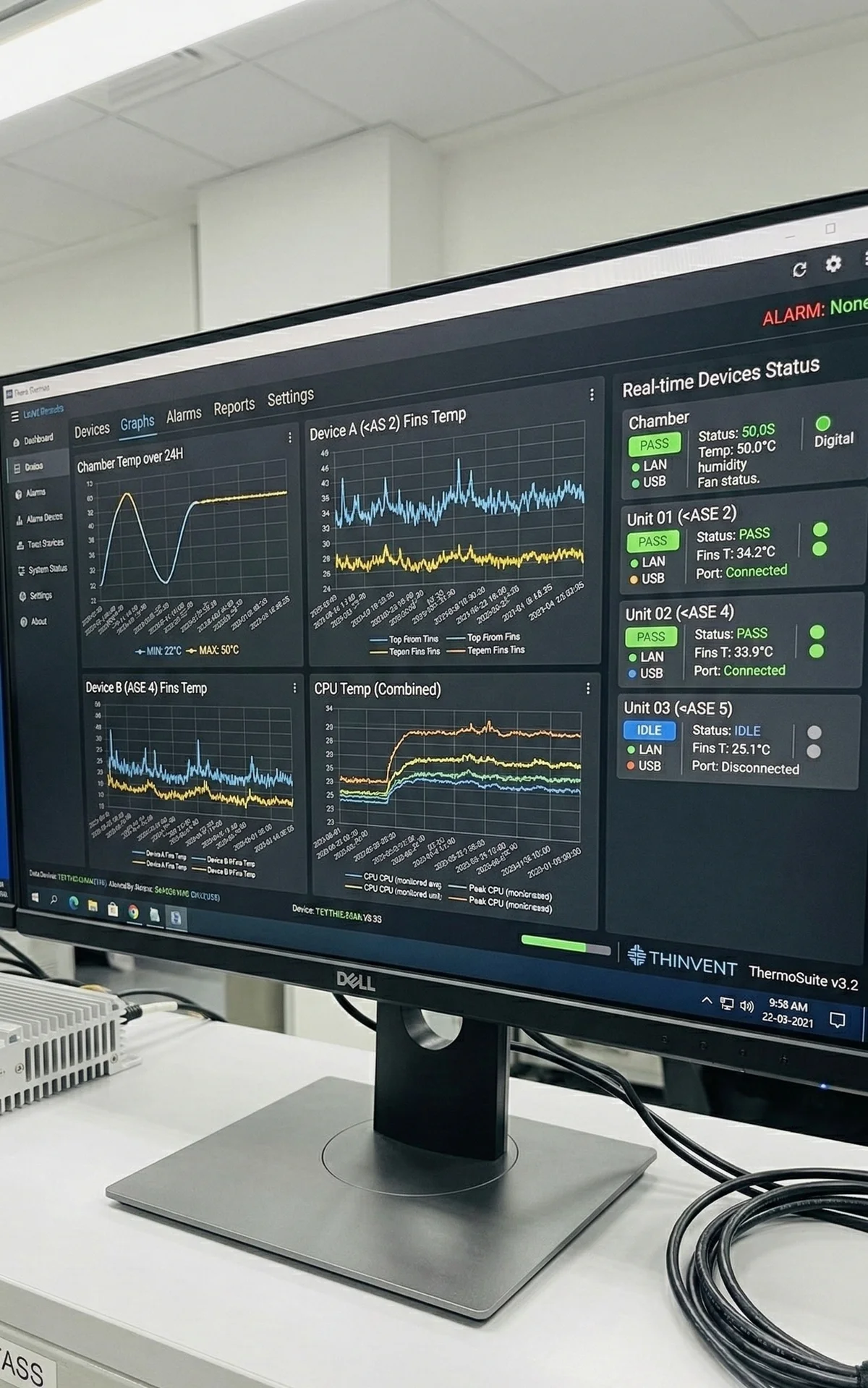
Dashboard Features:
-
Real-time status of all devices under test
-
Live/offline indicators
-
Total ageing hours accumulated
-
Recent 7-day ageing hours
-
Temperature and frequency graphs
-
Grouped by ageing server
Benefits of Our Ageing Process
1. Eliminates Infant Mortality
Without Ageing:
-
2-5% of devices fail within first 100 hours
-
Customer experiences downtime
-
RMA process required
-
Loss of confidence
With Ageing:
-
Defective units identified before shipment
-
Only proven-reliable devices delivered
-
Very few early failures
-
Customer confidence
2. Validates Thermal Design
-
Confirms cooling system adequacy
-
Verifies no thermal throttling
-
Ensures stable operation in hot environments
-
Validates component selection
3. Stress Tests All Subsystems
-
CPU and memory under full load
-
Storage I/O performance
-
Network connectivity stability
-
Power delivery reliability
-
Peripheral interfaces
4. Provides Performance Baseline
-
Temperature profiles documented
-
Performance metrics recorded
-
Comparison data for future troubleshooting
-
Quality assurance records
Why We Don't Stock Finished Devices
Bespoke Manufacturing Advantages
Every customer has unique requirements:
-
Different CPU models (Celeron, i3, i5, i7, i9)
-
Variable RAM configurations (4GB to 64GB)
-
Storage options (SSD, NVMe, dual drives)
-
Operating system choices (Thinux, Windows, Ubuntu)
-
I/O port configurations
-
Mounting options (VESA, DIN rail, rack mount)
Stocking finished devices would mean:
-
Guessing customer requirements
-
Inventory carrying costs
-
Risk of obsolescence
-
Limited customization options
-
Higher prices to cover inventory
Build-to-order means:
-
Exact specifications you need
-
Latest component availability
-
No compromise on requirements
-
Competitive pricing
-
Fresh manufacturing (not shelf stock)
The Complete Timeline
Week 1: Manufacturing and Testing
Day 1-2: Assembly
-
Component procurement
-
PCB assembly
-
Initial power-on testing
-
BIOS configuration
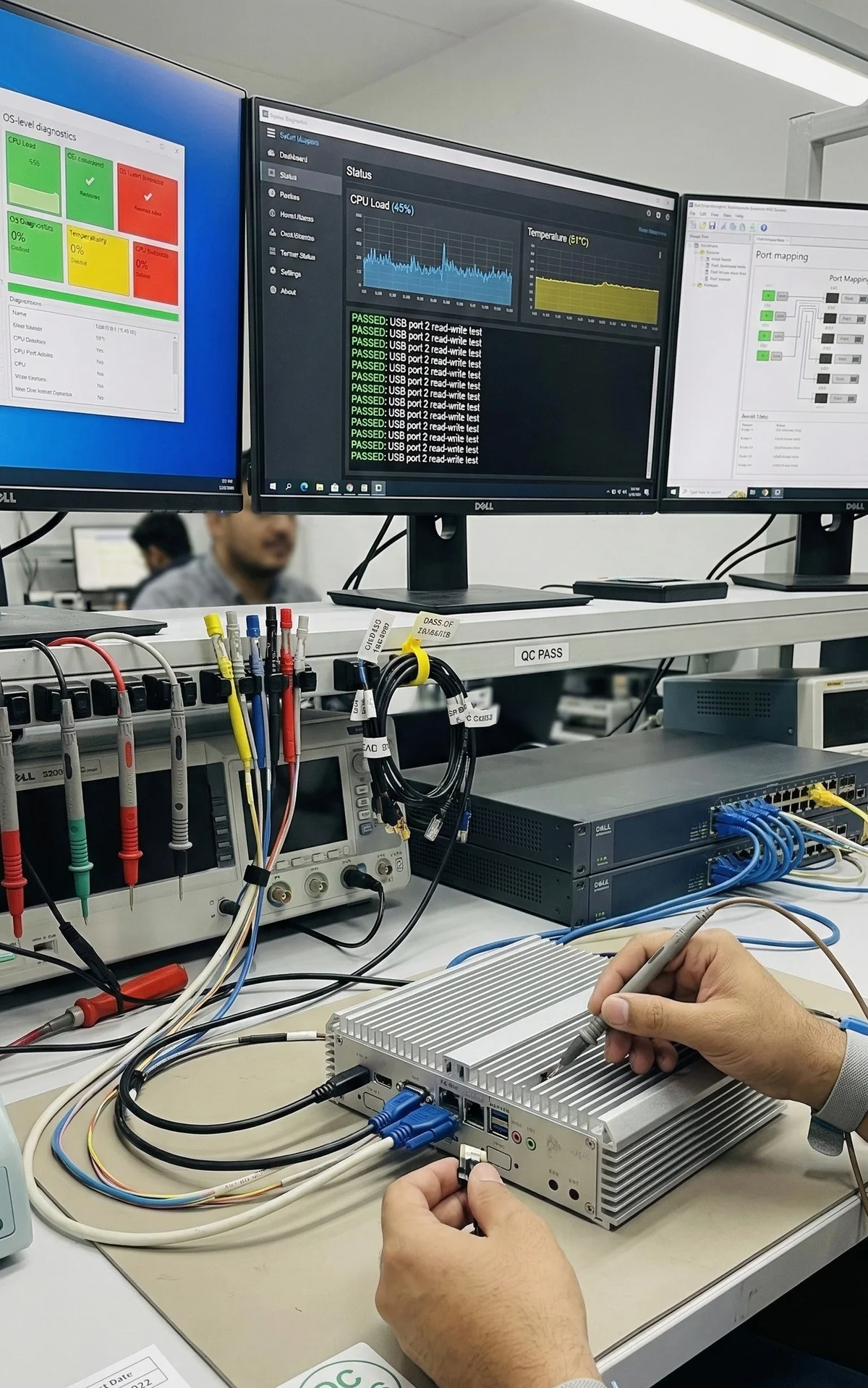
Day 2: Pre-Ageing QC
-
Functional testing
-
Port verification
-
OS installation
-
Initial burn-in (4-8 hours)
Day 3-5: 72-Hour Ageing
-
Elevated temperature chamber (50°C)
-
Full CPU load
-
Continuous monitoring
-
Temperature logging
Day 6: Post-Ageing QC
-
Functional re-verification
-
Performance benchmarking
-
Final configuration
-
Quality sign-off
Day 7: Packaging and Documentation
-
Protective packaging
-
Documentation preparation
-
Shipment preparation
Week 2+: Shipment
-
Courier pickup
-
Transit time (1-5 days depending on location)
-
Delivery to customer
Conclusion
Our 72-hour ageing process at 50°C is a critical quality assurance step, not a formality. Every industrial PC we ship has demonstrated its reliability under stress. By removing units with infant mortality failures, validating the thermal design and stress-testing all subsystems, we deliver devices that our customers can rely on for years of continuous operation.
The one-week minimum processing time reflects our commitment to quality over speed. We take pride in every device we build, and we will not shorten testing to save a few days.
When you order a Thinvent industrial PC, you receive a freshly manufactured, thoroughly tested system built specifically for your requirements, not a device taken from a shelf.
This is how Thinvent builds every industrial PC.